Visual Studio Remote Debugging
Each version of Visual Studio includes the remote debugging utilities.
It's called, msvsmon.exe.
The following is taken from here: https://learn.microsoft.com/en-us/visualstudio/debugger/remote-debugging?view=visualstudio#fileshare_msvsmon
The utility is located in this folder:
Find msvsmon.exe in the directory matching your version of Visual Studio:
Program Files\Microsoft Visual Studio 17.0\Common7\IDE\Remote Debugger\x64\msvsmon.exe
Program Files\Microsoft Visual Studio 17.0\Common7\IDE\Remote Debugger\x86\msvsmon.exe
Once found, you can share the Remote Debugger folder across the network, with the target machine to debug.
On the target machine, follow these instructions: Remote debugging - Visual Studio (Windows) | Microsoft Learn
Starting the Remote Debugger Harness
Once you have shared the remote debugger folder with the target machine, open the folder in File Explorer, like this:
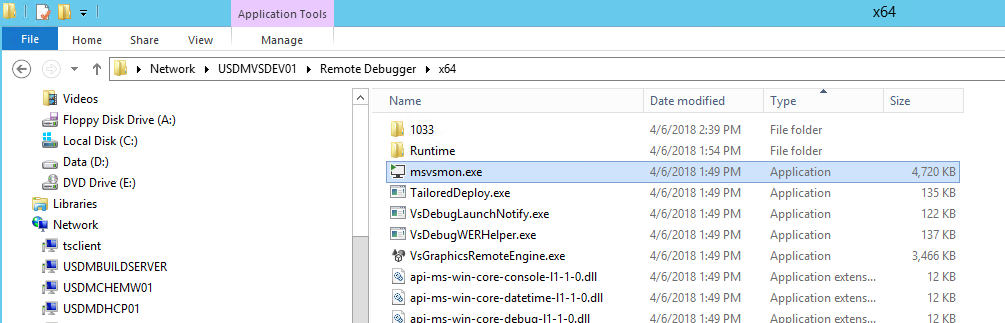
Right-click on the msvsmon.exe, and tell it to start with Administrator rights.
It will take a few seconds to start up.
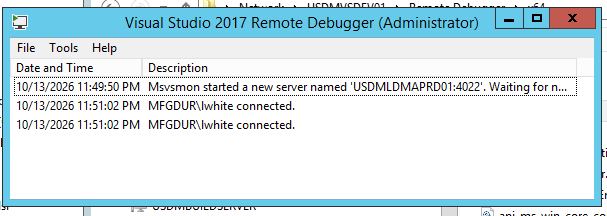
Once running, a window like the following, will display:
When done debugging, simply close the window, to kill the debugger listener.