NOTE: If you are installing NVM and Node on a Jenkins server, you will need to run all of the following under the jenkins user context. See this page for how to impersonate the Jenkins user: [Linux: Impersonating Users](https://wiki.galaxydump.com/link/111) As a quick answer, run this to become the Jenkins user, for the purpose of the steps in this article, you can use: `sudo su jenkins` Or: `sudo -u jenkins bash` And, be sure to exit from the jenkins user context, when finished.
### Housekeeping A few things to note about these steps: These steps are aligned for an Ubuntu 22 host, so they may require adjustment for other distros and versions. These are designed for a build server that will be able to build for versions of Angular. So, we use NVM to manage Node.js, as different Angular versions are compatible with non-overlapping Node.js versions. ### Removing Existing #### Remove Existing Angular Versions This command will indicate what Angular version is active for the session: `ng version` If installed, you will see this: [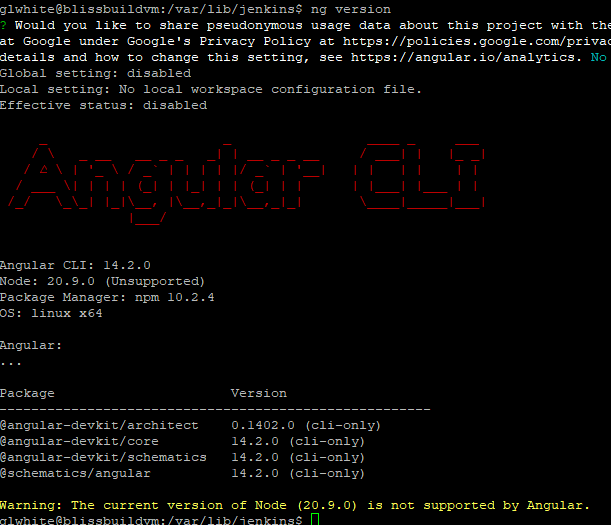](https://wiki.galaxydump.com/uploads/images/gallery/2025-02/Z14iD05mkt0Sj65t-image.png) But, the above command could be responding to a locally scoped Angular version. So, instead. We want to see what's globally installed, with this: `npm list -g --depth=0` If Angular is installed globally, it will appear in the output, like this: [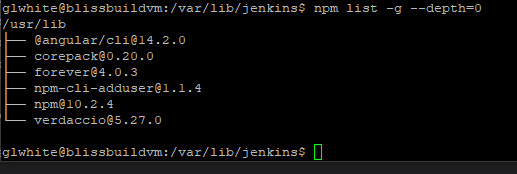](https://wiki.galaxydump.com/uploads/images/gallery/2025-02/QfxtWjgAyYdFQ0DG-image.png) If Angular is globally installed, you can remove it with this: `sudo npm uninstall -g @angular/cli` Once removed, you can confirm it with the same command that listed it: `npm list -g --depth=0` And, it should be missing from the output: [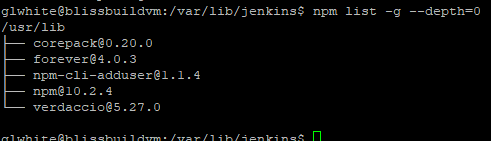](https://wiki.galaxydump.com/uploads/images/gallery/2025-02/vZsXNax7Iq57cJni-image.png) Now, run this to see if Angular is still installed: `ng version` If it returns an Angular banner, then you need to be more drastic. Run this, to see where Angular is installed: `which ng` If installed, you will see something like this: [](https://wiki.galaxydump.com/uploads/images/gallery/2025-02/qtb0CkMoYHbvGjMg-image.png) ##### Remove via Package Managers Check if Angular is installed, via Snap: ```bash snap list | grep angular ``` If installed, remove it with this: ```bash sudo snap remove angular-cli ``` Check for other package manager installations: ```bash dpkg -l | grep angular ``` If found, remove with this: ```bash sudo apt remove --purge angular-cli -y ``` ##### Manual Removal You can manually remove Angular with this: ```bash sudo rm -rf $(which ng) ``` Or, if you installed Angular under `npm root -g` run these: ```bash sudo rm -rf /usr/local/lib/node_modules/@angular sudo rm -rf /usr/local/bin/ng ``` Now, a call to this should fail: `ng version` #### Installing Node.js Once Angular has been scrubbed from the host, we need to install Node.js, as this is a dependency of Angular. Since building Angular apps and libraries may require multiple versions of Angular, we will follow steps to install NVM, to let us have multiple versions of Node.js. So, follow these pages, to install Node.js on the build server: Remove any existing Node.js versions with the removal steps from here: [Installing Node.js on Ubuntu](https://wiki.galaxydump.com/link/114) Follow this to install NVM, to allow the install of multiple versions of Node.js: [NVM - Node.js Version Manager](https://wiki.galaxydump.com/link/109)