SQL Server: Managing a SQL Assembly
If you come across a SQL Server database that includes programming functionality in a SQL assembly, you can move it to a new database with these steps.
Find SQL Assemblies
Identify the SQL Assembly on the SQL Server instance, with this query:
NOTE: Set the report database at the top to where your assembly is loaded.
USE [YourReportingDatabase];
GO

SELECT
    a.assembly_id,
    a.name AS AssemblyName,
    a.clr_name AS CLRName,
    a.permission_set_desc AS PermissionSet,
    a.create_date,
    a.modify_date
FROM sys.assemblies a
WHERE a.is_user_defined = 1
ORDER BY a.name;
It will return something like this:
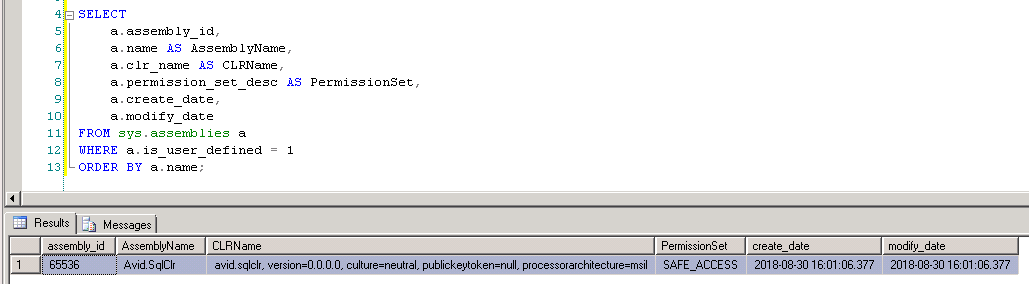
The stored dll name is in the AssemblyName column.
You can see the assembly content in the database with this query:
NOTE: Set the report database at the top to where your assembly is loaded.
USE [YourReportingDatabase];
GO

SELECT
    a.name AS AssemblyName,
    af.name AS FileName,
    af.file_id,
    DATALENGTH(af.content) AS FileSizeBytes,
    af.content
FROM sys.assemblies a
INNER JOIN sys.assembly_files af
    ON a.assembly_id = af.assembly_id
WHERE a.is_user_defined = 1
ORDER BY a.name, af.file_id;
You'll see something like this:
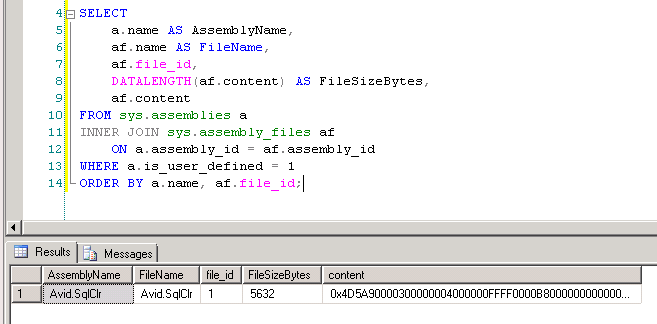
Extract SQL Assembly
If you want to extract the assembly back to a dll, you can use this powershell script:
NOTE: Set four strings at the top before running it.
$Server   = "OLD-SQL-SERVER"
$Database = "YourReportingDatabase"
$Assembly = "YourAssemblyName"
$Output   = "C:\Temp\YourAssemblyName.dll"

Add-Type -AssemblyName System.Data

$ConnectionString = "Server=$Server;Database=$Database;Integrated Security=True;"

$Connection = New-Object System.Data.SqlClient.SqlConnection($ConnectionString)

$Command = $Connection.CreateCommand()
$Command.CommandText = @"
SELECT af.content
FROM sys.assembly_files af
INNER JOIN sys.assemblies a
    ON af.assembly_id = a.assembly_id
WHERE a.name = @AssemblyName
  AND af.file_id = 1
"@

$null = $Command.Parameters.Add("@AssemblyName", [System.Data.SqlDbType]::NVarChar, 128)
$Command.Parameters["@AssemblyName"].Value = $Assembly

try {
    $Connection.Open()

    $Bytes = $Command.ExecuteScalar()

    if ($null -eq $Bytes -or $Bytes -is [DBNull]) {
        throw "Assembly not found: $Assembly"
    }

    [System.IO.File]::WriteAllBytes($Output, [byte[]]$Bytes)

    Write-Host "Assembly extracted: $Output"
    Write-Host "Size: $($Bytes.Length) bytes"
}
finally {
    $Connection.Dispose()
}
When it runs, it will extract the assembly bytes from the database, and create a dll file with them, at the path you specified.
Install the SQL Assembly
Prep the Target SQL Instance
If you are intending to install a SQL Assembly on a SQL engine instance, you must first emable CLR integration.
Run this to enable CLR integration:
EXEC sp_configure 'show advanced options', 1;
RECONFIGURE;

EXEC sp_configure 'clr enabled', 1;
RECONFIGURE;
You'll see messages like the following:
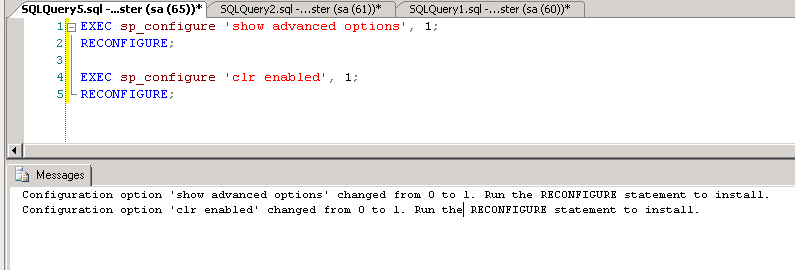
NOTE: You don't have to actually do a reconfigure at that point. It's an informational response.
Verify CLR is Enabled
You can run this to check that the CLR got enabled in the previous step:
SELECT
    name,
    value,
    value_in_use
FROM sys.configurations
WHERE name = 'clr enabled';
If enabled, you'll see something like this:
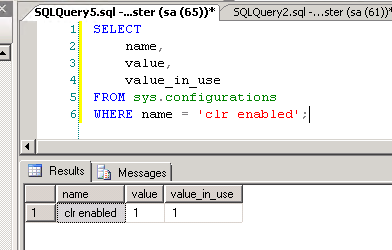
If you see value_in_use as 0, then you will have to run the reconfigure command.
If so, run it with this, then check again:
RECONFIGURE;Register SQL Assembly
Once you've enabled CLR usage, you can register the SQL assembly, with the following:
NOTE: Be sure to set the target database, assembly name, and path.
USE [TargetDatabase];
GO

CREATE ASSEMBLY [YourAssemblyName]
FROM 'C:\Temp\YourAssemblyName.dll'
WITH PERMISSION_SET = SAFE;
GO
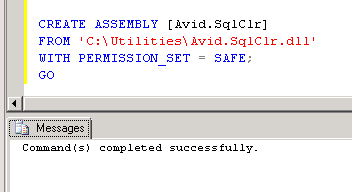
Once succesful, it will look like this:
Verify the Assembly
You can verify the assembly was installed, with this:
SELECT
    name,
    permission_set_desc,
    create_date
FROM sys.assemblies
WHERE is_user_defined = 1;
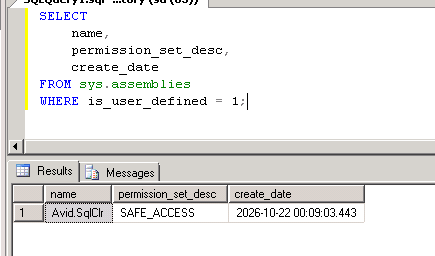
It will look like this:
Exposing Methods
Once you've loaded the SQL Assembly, you need to expose its methods for use.
You'll have to adapt a declaration for each method you expose.
Each one will have a shape like the following:
USE [databasename]
GO
/****** Object:  UserDefinedFunction [dbo].[udfs_clr_ConvertDateTimeToTicks]    Script Date: 10/22/2026 00:34:49 ******/
CREATE FUNCTION [dbo].[udfs_clr_ConvertDateTimeToTicks](@UtcDate [datetime])
RETURNS [bigint] WITH EXECUTE AS CALLER
AS
EXTERNAL NAME [Avid.SqlClr].[Avid.SqlClr.Date].[ConvertDateTimeToTicks]
GO