NOTE: If you are looking to fix a machine account, see this page: [Windows: Repair a Domain Machine Account](https://wiki.galaxydump.com/link/603)
Here's a couple ways to validate the machine account of a PC in an Active Directory domain:NOTE: This must be run from an elevated window.
``` dsregcmd /status ``` If successful, it will output a device state of DomainJoined: yes. [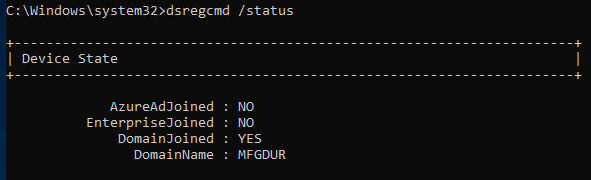](https://wiki.galaxydump.com/uploads/images/gallery/2025-06/42OdEyuusCj3aEV3-image.png)NOTE: It outputs several blocks of info. So, you may have to scroll up to see the status.
Also. You can use this:NOTE: This must be run from an elevated window.
``` nltest /sc_query:<