
Royal TS: Using SSH Keys
This is a workaround for using SSH keys in Royal TS.
Background
Royal TS does not provide an easy means to specify the username for an SSH key connection.
So, when connecting to a linux host with an SSH key, the host will prompt you for the username.
This is because, Linux does not have a direct association of a presented key to a user.
And, an SSH key does not contain a username.
So, the username must be presented by the connecting client.
The problem is:
Royal TS seems like it allows you to specify a private key and a username.
And, the documentation says that you can specify it as such.
But, if the username field is populated, Royal TS will attempt to connection with a password, and ignore the SSH key.
To solve this, you must do the following two things:
Set The Username
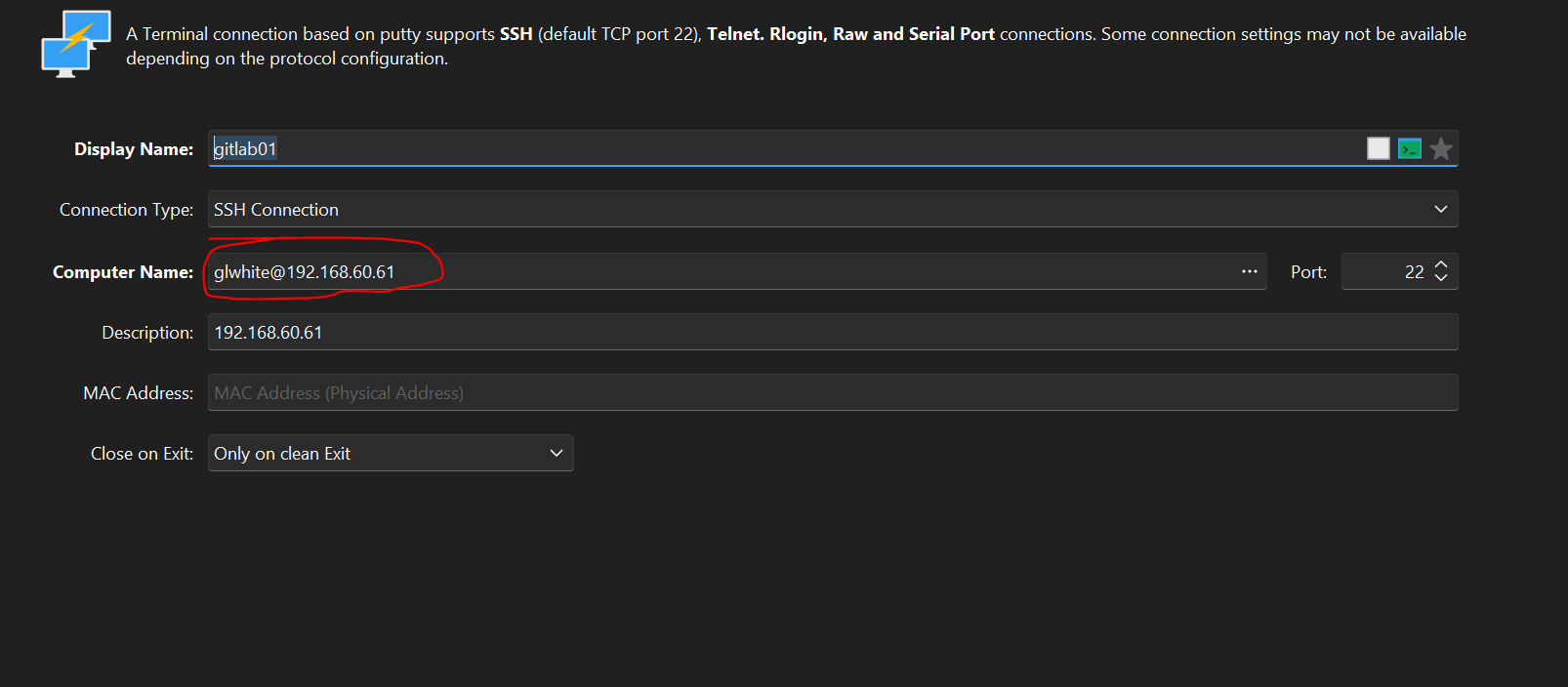
You have to specify the Computer name in this format:
username@hostnameLike this:
Connection Window Title Changes
But once you do that, Royal TS has another problem.
It will create a connection using your SSH key and the specified username.
BUT. The spawned connection becomes an external Putty window, that Royal TS can't embed.
What's happening is, the spawned Putty window (for your connection) gets a title that is different than what Royal TS expects.
And, it won't embed the window, like other connections.
To fix this secondary problem, you must open the Advanced tab of the connection properties, and find the Features tab.
Then, check the box for: Disable Remote-Controlled Window Title Change.
Like this:
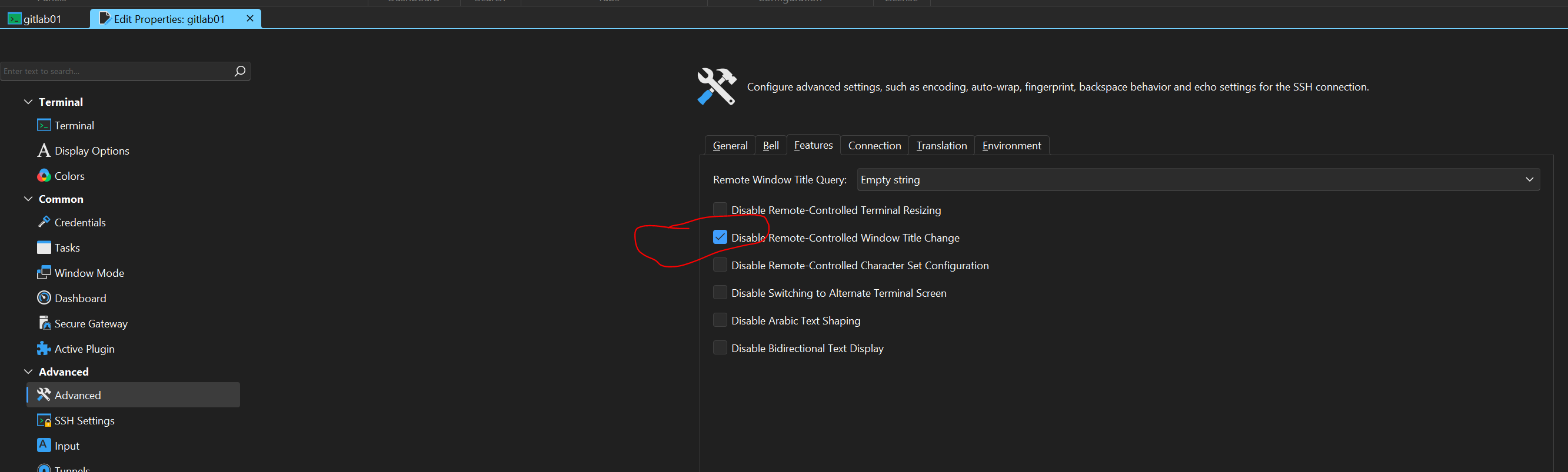
Once you check that box, the spawned Putty connection window will properly embed into the Royal TS UI.
Alternate Method
An alternate method to this, is to migrate the connection to use the built-in SSH client, instead of Putty.
You can do this, by opening the connection properties, and finding the Active Plugin page.
Then, changing the Active Plugin to: Terminal (based on Rebex).
You will have to close and reopen the connection, after.
As well. It may give you an error, if you have included the username in the connection hostname field.