
Ubuntu v24 Host Setup
Here are the minimal steps to setup a clean Ubuntu VM.
Update Packages
Do this before anything else, to ensure the latest package versions are used.
sudo apt-get update && sudo apt-get upgrade -yNet Tools
We will install net-tools on each host, for diagnostic purposes.
sudo apt install net-toolsUbuntu: SSH Server
See this page for setting up the SSH Server: Ubuntu: SSH Server
Static IP Address
See this page to set a static IP address: Ubuntu: Setup Static IP Address
Setting the Host Name
GetSee this page for how to set the currenthostname: hostnameUbuntu: withSet this:
hostnamectl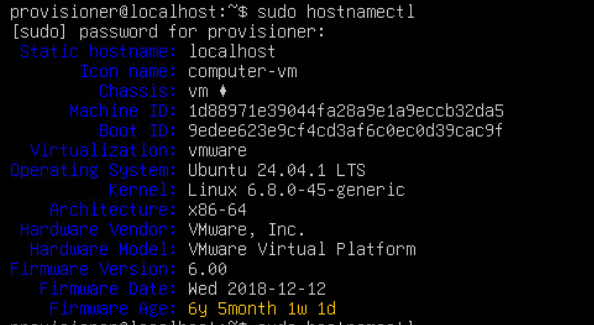
To set it, use this:
sudo hostnamectl set-hostname new-hostname (replace new-hostname)Once set, confirm it with the previous command.
Now, you need to update the hostname in your hosts file, with this:
sudo nano /etc/hostsThe hosts file lists the hostname in the second entry: 127.0.1.1, like this:

Update the 127.0.1.1 entry with the correct hostname.
Save and close the hosts file after update.
Static IP Address
See this page to set a static IP address: Ubuntu: Setup Static IP Address