
GitHub Personal Access Tokens
These expire annually.
We use a couple for testing and automated access.
Creation
To create a new token, open the GitHub page.
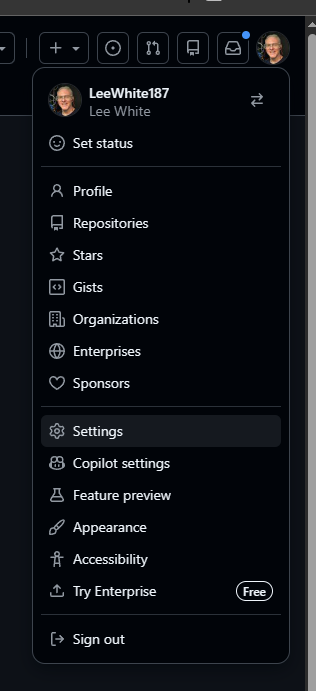
Click on your profile in the upper right.
Scroll down and click Settings.
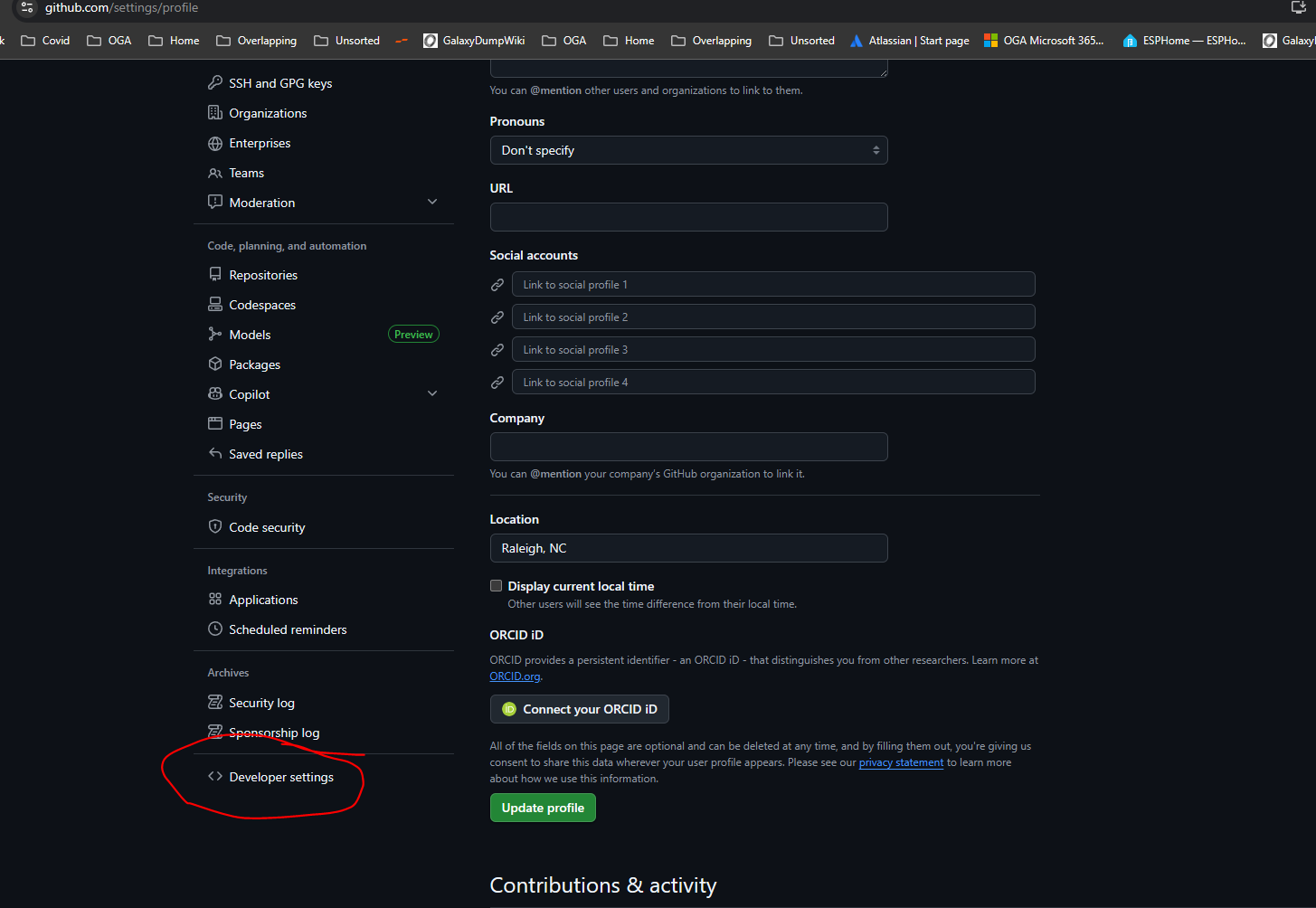
Scroll down to the bottom of the left-hand menu, and click on Developer Settings.
Expand the Personal Access Tokens node, and select Fine-Grained Tokens.
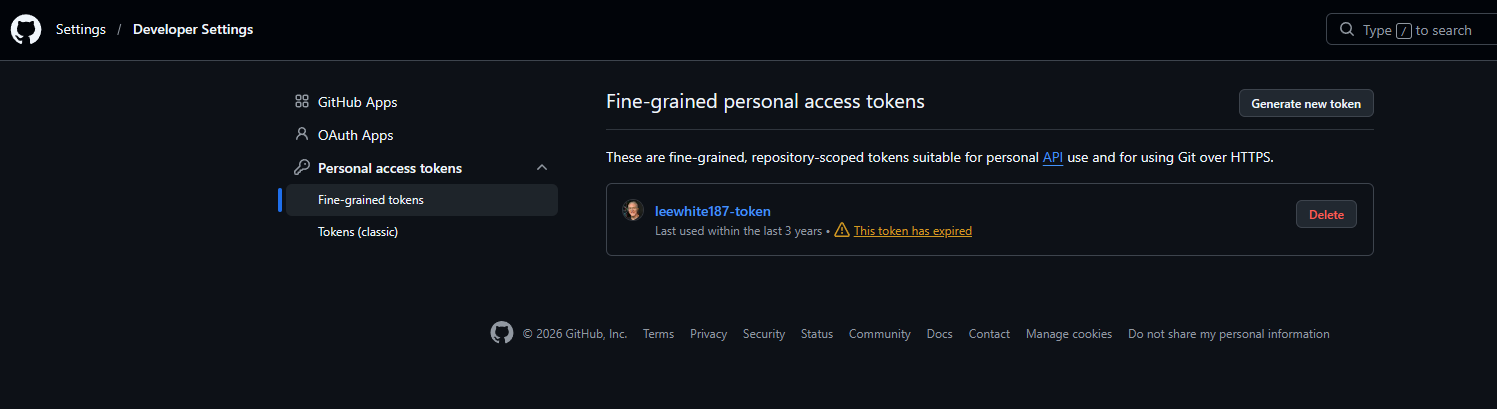
It will list any tokens you currently have and their expiry.
To make a new one, click Generate New Token.
Give it a meaningful token name.
Ideally, this will be a multi-term token, such as:
<username>-<purpose>-<dateofissue>
For example, the user's pat may be:
LeeWhite187-UserAccess-20260426
User Access Token Specifics
We have two active tokens.
- LeeWhite187-UserAccess-20260426
- LeeWhite187-TestAccess-20260426
LeeWhite187-UserAccess-20260426
This is a Fine-Grained token.
Named: LeeWhite187-UserAccess-20260426
Expiry, set to one year from creation.
Repository Access, set to All Repositories.
Here are added permissions:
- Commit Statuses - Access: Read Only
- Contents - Access: Read Only
- Environments - Access: Read Only
- Issues - Access: Read Only
- Metadata - Access: Read Only (Grayed Out)
- Commit Statuses - Access: Read Only
- Pull Requests - Access: Read Only
LeeWhite187-TestAccess-20260426
This is a classic Personal Access Token.
It was created to get around the access limitation of the fine-grained token.
Specifically, the classic PAT inherently has access across all orgs.
Whereas, the fine-grained PAT needs to be granted access to each one.
So, we wanted the classic token, so we don't have to edit token permissions, just to make testing work.
Named: LeeWhite187-TestAccess-20260426
Expiry, set to one year from creation.
It has access for:
- Repo:status
- public_repo
- read:org
- read:user
- read:email
- read:enterprise
- read:audit_log
No Comments