
How To Add Release Notes to Nuget Package
These are the steps needed to include release notes in a Nuget package.
These are taken from this article:
Writing a NuGet package release notes in an outside of a .csproj file.
Same article here:
Writing a NuGet package release notes in an outside of a .csproj file.
Release Notes are kept in the VS solution with the project, but are not stored inside the project.
A target block is added to the csproj file so that MSBuild can include the release notes content into the nuget package.
How To
-
Create a text file in the VS Solution, called:
RELEASE-NOTES.txt, or something more specific, if more than one release notes file is needed. -
Place the release notes file outside the project node, but still in the VS Solution, such as this:
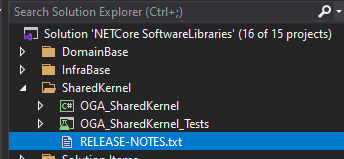
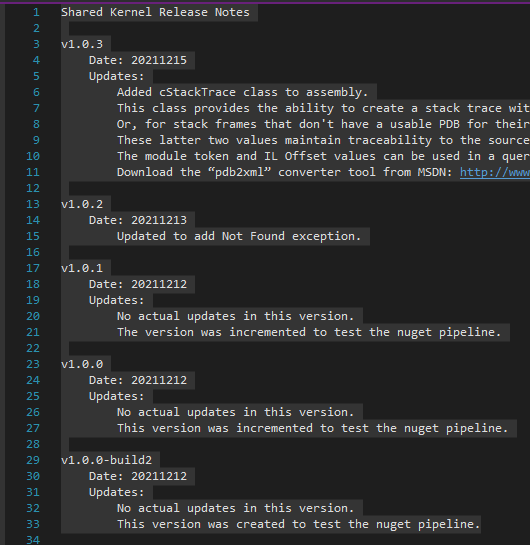
3. Add content to the release notes file, to annotate each version in descending order, like this:
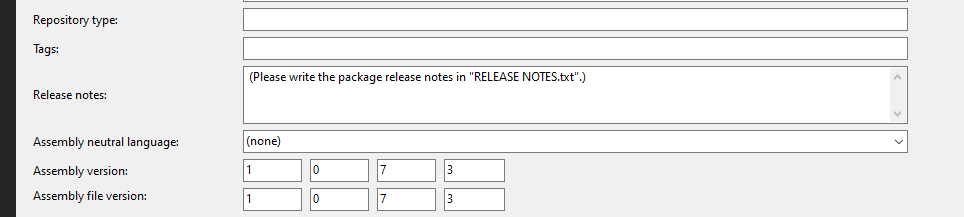
4. Add a comment in the Assembly Release Notes field, to point other developers to use the Release Notes.txt file.
This can be done by writing a comment in the PackageReleaseNotes MSBuild property, via the Project property editor GUI, or editing the csproj file.
We do this first, before we add the MSBuild target to the csproj file, to ensure the release notes property is set.
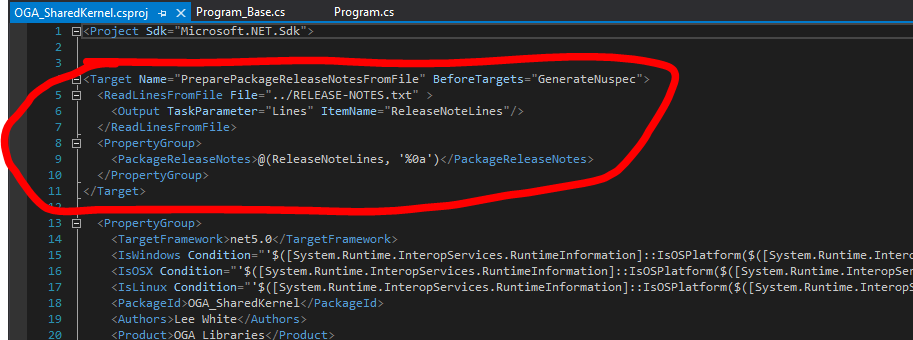
5. Now, we need to create a MSBuild Target (like the below screenshot) in the csproj file so that MSBuild can pick up the release notes before the nuget package is built.
This action needs to be executed before the “GenerateNuspec” target is executed.
At the before executing of the “GenerateNuspec” target is a good entry point to prepare the package release notes.
This target reads the release notes file contents by “ReadLinesFromFile” MSBuild standard task, and outputs the contents into a MSBuild items which is named, ReleaseNoteLines.
Finally, MSBuild will build the PackageReleaseNotes MSBuild property from the ReleaseNoteLines MSBuild items that contain the contents of the release notes file.
By the way, MSBuild joins the items with a “;” separate by default.
In this case, we want to make PackageReleaseNotes MSBuild property with multi-lines, therefore we write the reference of ReleaseNoteLines MSBuild itens with “LF” (Line-Feed) separate explicitly, like this:
@(ReleaseNoteLines, '%0a')
('%0a' means LF code in an MSBuild script file.)
Here’s what the MSBuild target looks like:
<Target Name="PreparePackageReleaseNotesFromFile" BeforeTargets="GenerateNuspec">
 <ReadLinesFromFile File="../RELEASE-NOTES.txt" >
 <Output TaskParameter="Lines" ItemName="ReleaseNoteLines"/>
 </ReadLinesFromFile>
 <PropertyGroup>
 <PackageReleaseNotes>@(ReleaseNoteLines, '%0a')</PackageReleaseNotes>
 </PropertyGroup>
</Target>
This build target needs to be pasted into the csproj file, like this:
6. Build the project, and push the nuget package to a repository to confirm it contains release notes.
No Comments