
VMWare Export OVA
Here are instructions for how to export an OVA from a VSphere host.
Locate your credentials for the ESXi host.
Identify the inventory name of the VM that you want to export.
Download the VMWare-ovftool.
A copy is here: "\\192.168.1.211\Programs\VMWare\OVF Tool\VMware-ovftool-4.4.3-18663434-win.x86_64"
Open a command line window, and use the following:
ovftool.exe --noSSLVerify vi://<esxhostname>/<vmname> "D:\<vmname>.ova"Replace the <esxhostname> with the name or IP address of your ESXi host.
Replace the <vmname> with the inventory name of the vm to be exported as OVA.
It will ask you for login credentials, and execute the export to the target folder.
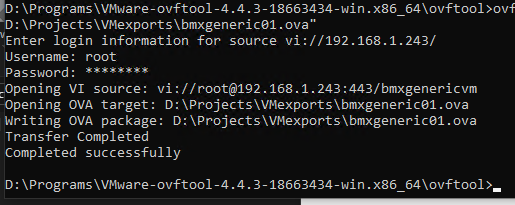
Once done, the OVA will be created in the target folder you specified.
It can be moved to the new environment and imported.
No Comments